
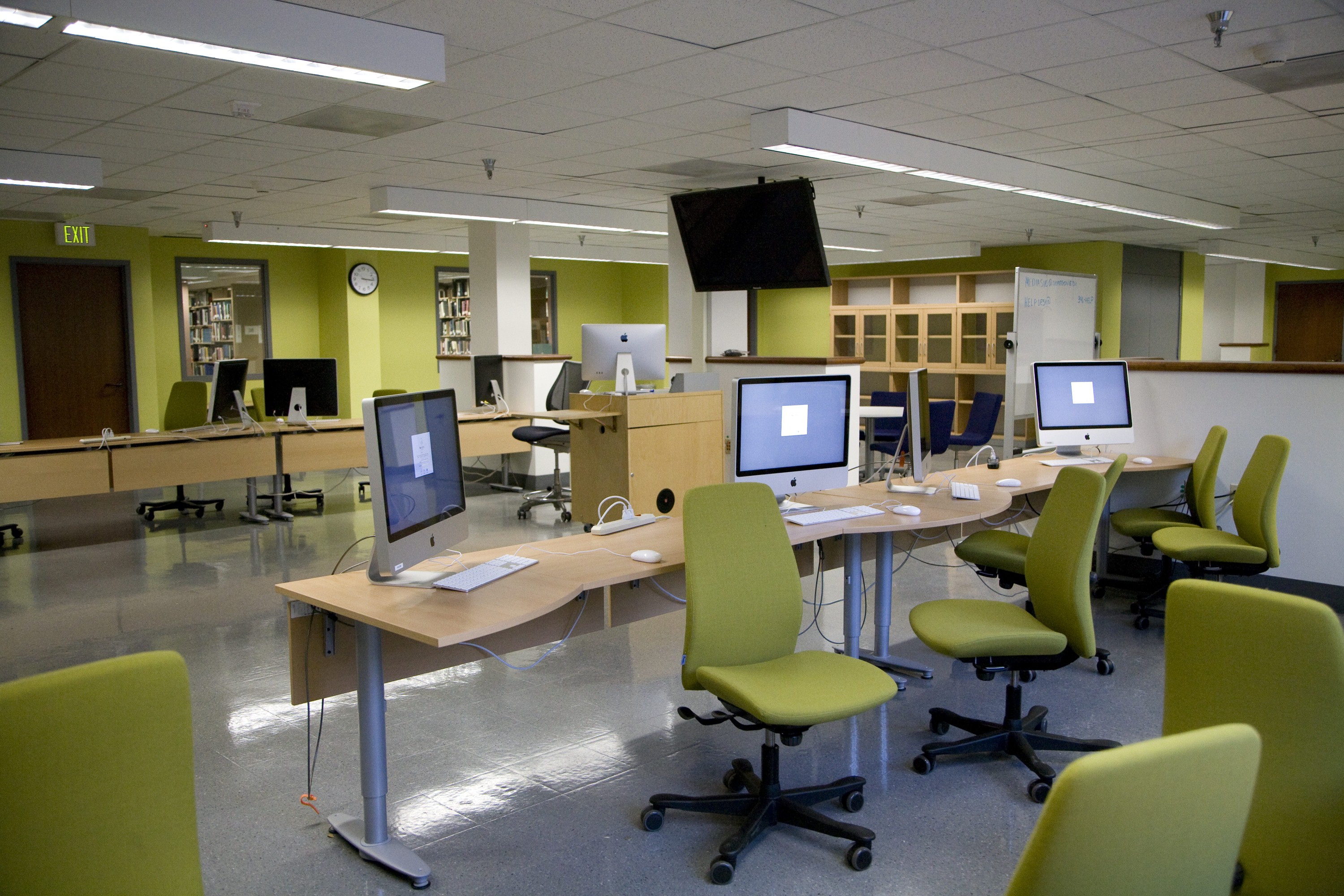
Cinema Studies Lab
Screening Area
The UO Cinema Studies Department is pleased to offer a new kind of new media laboratory, open to anyone in the university community (students, faculty, and staff) for digital editing and image creation. On the second floor of Knight Library, the lab is available seven days a week (and well into the night) during the academic year for students, faculty members, and instructors with the need to cut, tweak, filter, and deliver any type of project involving sound and picture. For your production needs, the lab is stocked with 20 M2 Mac Mini Computers displaying on 27” Dell Monitors. The computers are fully loaded with Avid Media Composer (the TV and film industry standard editing software), Apple’s Final Cut Pro X and Logic Pro, Davinci Resolve, and Adobe Creative Suite including After Effects and Premiere.
Lab Quick Facts
- Capacity: 20 students plus instructor station.
- Computers: 20 student and one instructor Mac Mini M2 w/ 27” Dell USB-C Hub Monitor
- Computer Specs: Mac Mini M2 Pro - 12-core CPU - 19-core GPU - 16GB RAM - 512GB SSD
- Computer Inputs: SD Flash Card, 2 USB-C, 2 USB Inputs
- Operating System: MAC OS 13.4 Ventura
- Media Production Software: Avid Media Composer, Final Cut Pro X (including Motion and Compressor), Adobe CC (including Premiere, After Effects, and Encoder), Logic, VLC Player, Quicktime, and MPEG Streamclip
- Additional Software: MS Office
- Room A/V:
- (2) 55″ Sony Bravia 4K HDR Monitors
- (2) 75” Sony Bravia 4K HDR Monitors
- In-ceiling speakers.
- Resident computer.
- BLURAY Player
- HDMI Laptop connection
- Room’s A/V controlled via Crestron touch panel
- Additionally there is a 26-seat exhibition screening area with HD offering Blu-Ray and HDMI inputs.
Note: If you work on projects in the lab, you must work from or save to an external hard drive because once you log out the computers automatically wipe all work.
No food or beverages are allowed in the computer lab space.
Software
Only licensed software may be installed on these computers, and students cannot install software or plug-ins. A standard suite of software is installed on these computers that is intended to serve the needs of most groups using the classroom. Requests to install software must be received at least four (4) weeks prior to the start of the academic term. Additional software requests are submitted for consideration. Please contact Dr. André Sirois, Multimedia Specialist/Lab Supervisor at cinemmsa@uoregon.edu regarding adding new software to the lab for a specific class.
Technology Rescoures
Visit the Cinema Studies Technology Resources website for information on working with media in the Cinema Studies Lab.
Where in the world is the Cinema Studies Lab?
The Cinema Studies Lab is located on the seond floor of Knight Library in room 267.
Contact Us
- The Lab: 541-346-8172
- Equipment Room: 541-346-7820
University Film Organization
For UFO club member use of UFO equipment, please visit the UFO Equipment page.